
At a glance
- Both projects require compatible player-provided game inputs and build native output.
- Keep each project's INI, save path, libraries and issue reports separate.
- A useful FPS comparison requires the same hardware, scene, settings and versions.
NX2navi vs Hookshot: what are you choosing?
These are separate projects, not interchangeable installer skins. Their maintainers document native static recompilation rather than a general-purpose console emulator. Installation creates local output from compatible player-owned input; neither this guide nor a project name supplies the game data.
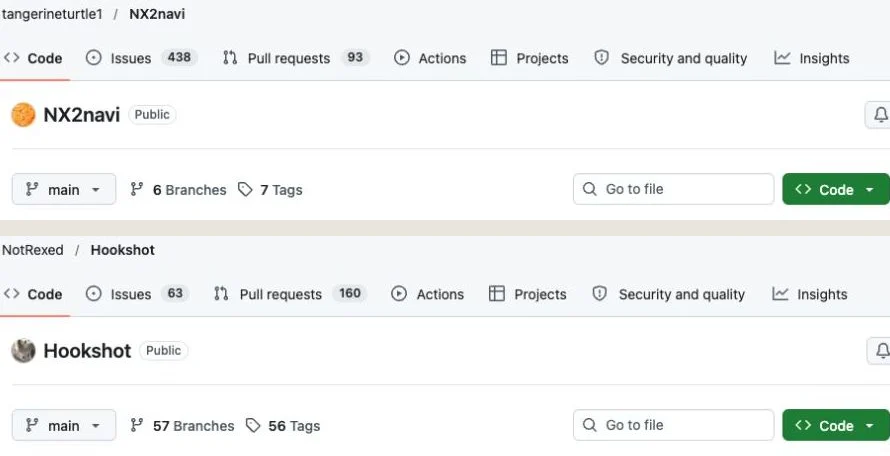
Use the NX2navi documentation and Hookshot's tagged README as the source boundary for this comparison. A repository's moving main branch can already contain later changes. When a feature matters to your decision, read its matching release note and identify the actual package you plan to use.
The practical question is which documented path you can validate on your system. A port reaching one scene, a menu exposing an option and a longer play session succeeding are different levels of evidence. Prefer an explicit unknown over a guessed checkmark.

Compare installation and update workflows
The two Windows entry points differ: NX2navi uses its Setup/launcher path, while Hookshot v2.1.0 documents HookshotBuilder.exe. Both perform local build work. For NX2navi's detailed stages, use Windows installation rather than interpreting the comparison table as a second complete tutorial.
The table highlights documented distinctions. It does not recommend copying a component between projects. Treat similar concepts such as build cache or game folder as roles to compare, not proof that paths and formats match.
| Decision | NX2navi v0.8.0 | Hookshot v2.1.0 reference |
|---|---|---|
| Windows entry | Setup EXE and launcher. | HookshotBuilder.exe. |
| Linux route | Official AppImage/native Build Kit; release limits direct Linux testing. | AppImage with a documented Linux builder workflow and reported distro tests. |
| Update work | Can retain compiled work; invalidation can require more rebuilding. | Default build cleanup can require more rebuild work; read its cache options. |
| Configuration | nx2navi.ini and F1 menu. | hookshot_options.ini / hookshot_env.txt and its own menu. |
| Save location | Game profile/save/<account> plus managed backups. | Windows user directory; Linux ~/.local/share/hookshot. |
Compare requirements as compatibility gates
Do not choose by the broad label Vulkan alone. For NX2navi, check the API, required external-memory extension, CPU baseline, memory and its qualified mesh fallback in Requirements. For Hookshot, read its matching What you need section before interpreting a GPU family name as certification.
The tagged Hookshot reference lists Vulkan 1.3/mesh-shader conditions, 16 GB RAM and about 60 GB build space; its Linux AppImage requires AVX2 and glibc 2.35+. These are that workflow's stated conditions, not a like-for-like measured resource comparison with NX2navi's installation estimates.
A useful checklist records architecture, CPU instructions, driver/extensions, peak build workspace and available memory for each route independently. A fallback's implementation can coexist with missing rendering or unverified hardware, so a fallback checkbox is not the final compatibility verdict.
- Check the exact distribution/package and CPU route rather than generalizing one platform's instruction-set rule.
- Keep final output size separate from peak temporary build space.
- Treat documented requirements and observed successful gameplay as different evidence.
- Use current driver documentation without inventing a universal minimum GPU model or guaranteed FPS.
Windows, Linux and Steam Deck need different evidence
NX2navi's official Linux asset and native Build Kit establish a Linux development path, but v0.8.0 explicitly limits the developer's own Linux testing. Its SteamOS desktop reports cannot establish Steam Deck results. The Linux and Steam Deck pages retain those distinctions.
Hookshot's v2.1.0 release notes include Linux/Wayland, handheld DLSS and a Deck task-shader change. A targeted change is evidence about that implementation work, not a guarantee that every Deck scene, controller arrangement or suspend cycle works. Follow the linked Hookshot release for its actual scope.
For either project, ask what was tested, on which device and for how long. A Linux desktop result is useful, but its GPU, driver and power environment differ from a handheld. A profile is a set of defaults, and a successful build is only one stage before runtime verification.
Evaluate graphics and controls without copying settings
Feature names are a starting point for a comparison. Reconstruction, anti-aliasing, generated frames and HDR are separate capabilities with hardware/library conditions. For NX2navi, use graphics settings and its applicable game_aspect/game_res rules; do not assume another project's resolution variables have the same effect.
Hookshot's v2.1.0 notes include DLSS/DLAA/Reflex, motion input and audio work. Read those implementation notes for the target conditions. Their presence does not establish that all modes, controllers or sound configurations were measured by this website.
Write down the features you actually need: your display aspect, preferred input, a required accessibility choice or a specific graphics mode. Then confirm that feature in the matching menu/documentation. A long checklist of features you will never use is less helpful than a verified route for the few that matter.
Game saves: a documented migration route with testing limits
Hookshot v2.1.0's save guide explicitly includes NX2navi. Its scripts/oot_saves.py tool provides import/export paths for copying the game's save files between them. This is different from replacing nx2navi.ini with hookshot_options.ini.
The guide marks NX2navi folder discovery as documentation-based and untried end to end. A documented copying tool therefore exists, but this website cannot certify migration on every system or version. Read its matching instructions and confirm source, destination and account before applying a copy.
Close both programs and preserve independent backups. If NX2navi has pending save-tx data, the tool normally refuses the copy: start NX2navi and quit normally to let it commit, then check again. Do not bypass that protection with force as a routine step. A dry run previews the intended copy without changing progress.
Inspect the documented tool
Use Hookshot's matching save guide and script. import nx2navi means NX2navi to Hookshot; export nx2navi means the reverse.
Preview before applying
Use --dry-run and inspect the selected folders/profile. Supply the documented --hookshot and --from/--to overrides where the automatic locations do not match your setup.
Keep rollback data
The script backs up the overwritten side. Keep a separate copy too; --keep-settings retains the target option.sav. This concerns in-game save settings, not interchangeable port INI files.
Which port runs faster? Require a common test
There is no defensible universal winner from unrelated online FPS figures. Different port versions, GPUs, drivers, saves and reconstruction modes can change both the amount of work and the result. Generated display frames also cannot be compared directly with another test's genuine rendered frames.
A fair comparison would use the same machine, supported game input, scene/route and equivalent image workload. Record rendered FPS and long-frame behavior with generation disabled first, then evaluate optional features separately. Keep first-visit preparation distinct from a warm repeat run.
This website has not performed that experiment. The comparison therefore uses documentation and workflow evidence, not a fabricated score. Performance troubleshooting provides a repeatable observation method if you decide to collect your own results.
| Control variable | Why it matters |
|---|---|
| Same hardware and power state | Prevents machine/power differences from looking like a port difference. |
| Same save, route and camera | Keeps scene complexity comparable. |
| Equivalent internal image work | A larger output window does not prove equal rendering workload. |
| Generation recorded separately | Distinguishes rendered throughput from inserted display frames. |
| First and repeat visits | Separates preparation costs from recurring pacing. |
Choose the documented path you can verify
For a Windows-first setup, compare each builder's input selection, output management, update recovery and documentation against what you can maintain. For Linux, prioritize the actual package prerequisites and hardware reports matching your environment. For a handheld, keep untested expectations out of the decision.
Preserve separate install folders, INIs and backups if evaluating both. Do not overwrite the only working installation before verifying the alternative, and do not assume a save import is compatible simply because both run the same game. Each project has its own validation and user-data workflow.
Use the developer's corresponding issue tracker for software bugs; a report for one port does not become evidence that the other shares its cause. Review NX2navi updates and both official release sources when revisiting the comparison. A decision grounded in your specific requirement is more useful than a universal winner label.
COMMON QUESTIONS
Frequently asked questions
Are NX2navi and Hookshot the same project?
No. They have separate repositories, installers, settings and development histories. Similar feature names do not make components interchangeable.
Do both require my own compatible game files?
Both document local native builds from player-provided compatible inputs. This site provides neither the game nor keys or compiled game output.
Which runs faster?
This website has no controlled comparative benchmark. A meaningful answer requires the same hardware, versions, scene and equivalent rendering settings, with generated frames accounted for separately.
Which should I use on Linux?
Compare current package prerequisites and evidence matching your distribution/GPU. Read the explicit testing limitations and distinguish desktop Linux from Steam Deck.
Can I copy the INI or saves between them?
Keep port INIs separate. Hookshot v2.1.0 documents scripts/oot_saves.py import/export for NX2navi game saves, with dry-run and backups. NX2navi discovery is documentation-based, not end-to-end tested; follow the linked migration section and resolve pending save-tx before copying.
SOURCE MATERIAL
Official sources
Use these project references to check the documented behavior and applicable software version. Hardware results and unresolved reports are identified in the relevant sections.