
At a glance
- Unsigned software, a SmartScreen warning and an antivirus detection are different signals.
- A file hash verifies identity only against a trustworthy reference for that exact asset.
- Publicly readable source does not automatically prove binary provenance, safety or permission to redistribute code.
Identify the authentic project before judging safety
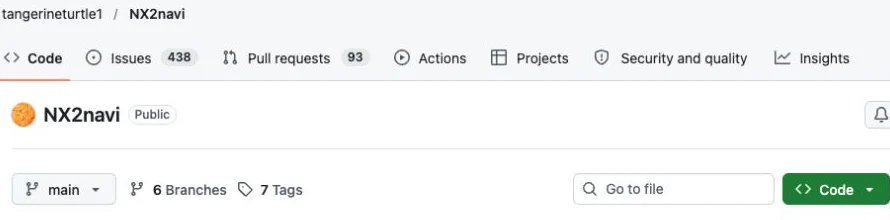
Start with the address, not a logo or a third-party page calling itself official. The project repository is github.com/tangerineturtle1/NX2navi, and its Releases area is the source cited by the installation documentation. A similarly named domain can be an independent guide without being a software distributor.
When asking 'is NX2navi safe', separate the genuine project from the particular file in front of you. A trustworthy project address does not authenticate a file obtained elsewhere. Keep the release name, exact asset filename and original download URL together so that you can explain what you actually checked.
Use the download guide to distinguish the Setup EXE from application/runtime ZIPs and source snapshots. A repackaged installer with a familiar filename is not established as identical merely because it launches a recognizable interface.

What does the Windows warning actually mean?
The v0.8.0 project documentation says the Setup program is not code-signed. That can explain a Windows reputation/signature warning. It does not establish that every alert a user sees has the same cause, or that all detections should be dismissed as false positives.
Record the exact message and which component displayed it. SmartScreen, the browser's download protection and an antivirus engine may be making different assessments. Do not summarize all three as 'Windows blocks it' when asking for help.
| Signal | What it establishes | What it does not establish |
|---|---|---|
| Unsigned application | No verified publisher signature is presented for that executable. | A conclusion that the file is either malicious or harmless. |
| SmartScreen reputation warning | Windows is warning about its reputation/trust assessment. | A complete malware analysis of every program behavior. |
| Antivirus detection | An engine identified something under a named detection rule. | That it is automatically a false positive because the project is public. |
| Matching file digest | Bytes match a particular reference, if that reference is trustworthy. | A guarantee of safe behavior or a replacement for source verification. |
Check the file without turning a hash into a safety claim
Before running the installer, compare its full filename and platform with the selected official release. Show file extensions in Windows so the final extension is visible. Keep the original source address instead of relying on a browser's shortened label.
If the official release supplies a checksum for the exact asset, calculate the local SHA-256 and compare the complete digest. A checksum file for a Linux AppImage is not a reference for a Windows Setup EXE. Do not borrow a reference from another version or create one yourself and label it official.
The example command below calculates a digest locally. If no independent, trustworthy reference is available, the output is useful as an identifier in a report, but does not resolve the question 'is NX2navi safe' by itself.
Check provenance
Confirm the repository owner, release page and asset. Do not transfer trust from a project name to an unrelated mirror.
Check identity where possible
Compare the actual asset filename and any trustworthy digest for that same file, not a different operating-system package.
Read the security message
Keep the detection name and source application. A warning remains evidence to investigate even if an unsigned installer is expected.
Pause if the evidence is unresolved
Search the official issue tracker for the specific detection or ask the developer using identifying technical information without attaching protected game data.
Get-FileHash -LiteralPath "C:\Downloads\NX2navi-Setup-0.8.0.exe" -Algorithm SHA256Does public source code prove that NX2navi is safe?
Public code can make investigation possible, but possible inspection is different from a completed audit. This website has not audited every source file, dependency or release binary. It does not issue a security score, certification or a 'virus-free' label.
Source availability also does not automatically demonstrate that a particular downloaded binary was built from that exact source with a particular toolchain. Binary provenance and dependency verification require their own evidence. This is why the release asset and its source matter even when repository code is readable.
The project's licences need a separate reading as well. Its inherited base and third-party material have their own terms, while additions/changes are identified as reserved in LICENSE-ADDITIONS. Public readability is not permission to copy and redistribute every part of the project. That licensing distinction is separate from whether a file is malicious.
Why third-party repackaging makes checks harder
A mirror can offer an old file, alter packaging, bundle unrelated programs or remove the connection to the original release. Those are reasons to prefer an identifiable developer asset; they are not an allegation that a particular independent guide is distributing malware.
Avoid confusing advertisements with software controls. On this site, the official release link leads to GitHub rather than an in-site executable. If another page starts an unrelated installer or asks for unnecessary browser extensions, that is not a documented requirement of the NX2navi launcher path.
Neither a familiar icon nor a claim of superior download speed answers 'is NX2navi safe'. Follow the actual destination and identify the file. If you cannot reconstruct where it came from, do not treat an attractive page design as evidence.
If a security tool flags the download
Stop before further execution, keep the exact detection name and confirm whether the file came from an official release asset. Check the official issues for a matching report, including version and file identity. An old report about another release is not a verdict on your file.
If you report it, include the project release, asset filename, original URL and digest when available. Redact private paths and account details. Do not upload game dumps, keys, credentials or a compiled game as evidence.
A security alert and a compilation error are different routes. If the installer runs and a toolchain stage later fails, use installation errors. If the source is verified and you choose to proceed, the installation guide explains the player workflow without requiring you to disable protection software.
COMMON QUESTIONS
Frequently asked questions
Is NX2navi safe because it is hosted on GitHub?
GitHub provides an identifiable distribution location, not an automatic security certification. Verify the project owner, specific release asset and available evidence about the file you obtained.
Does SmartScreen prove the installer is malware?
No. The project documents an unsigned installer, which can cause a warning. The warning also does not prove harmlessness; inspect the exact message and provenance.
Should I turn off antivirus to install it?
This guide does not recommend disabling protection as a routine step. Keep a detection's details, verify the source and investigate unresolved alerts before deciding whether to execute software.
Can a matching SHA-256 prove that NX2navi is safe?
It establishes identity against a trusted reference for that exact file. It does not establish that the program's behavior is safe or that a copied reference on an untrusted site is authentic.
Is NX2navi an official Nintendo program?
No. It is an independent project. This website is also an independent guide, separate from both Nintendo and the project developers.
SOURCE MATERIAL
Official sources
Use these project references to check the documented behavior and applicable software version. Hardware results and unresolved reports are identified in the relevant sections.